
B127E 2016 GMC Sierra Code - Front Video Display Output Signal Malfunction
Quick Answer
The B127E diagnostic trouble code (DTC) for a 2016 GMC Sierra indicates a malfunction in the front video display output signal. Common causes include Faulty front video display unit, Loose or damaged wiring connections, Defective video output module. Severity is High - diagnose this code as soon as possible. Driving is not recommended if the warning light is flashing, the engine runs poorly, or safety-related symptoms are present.
- What it means
- B127E 2016 GMC Sierra indicates Front Video Display Output Signal Malfunction.
- Common causes
- Common causes include Faulty front video display unit, Loose or damaged wiring connections, Defective video output module.
- Severity
- High - diagnose this code as soon as possible.
- Can I drive?
- Driving is not recommended if the warning light is flashing, the engine runs poorly, or safety-related symptoms are present.


Fix Your Car Smarter
Try the New AutoCodes App!
Get complete OBDII diagnostics, repair solutions, and cost estimates, plus AI chat support on demand.

Code B127E 2016 GMC Sierra Description
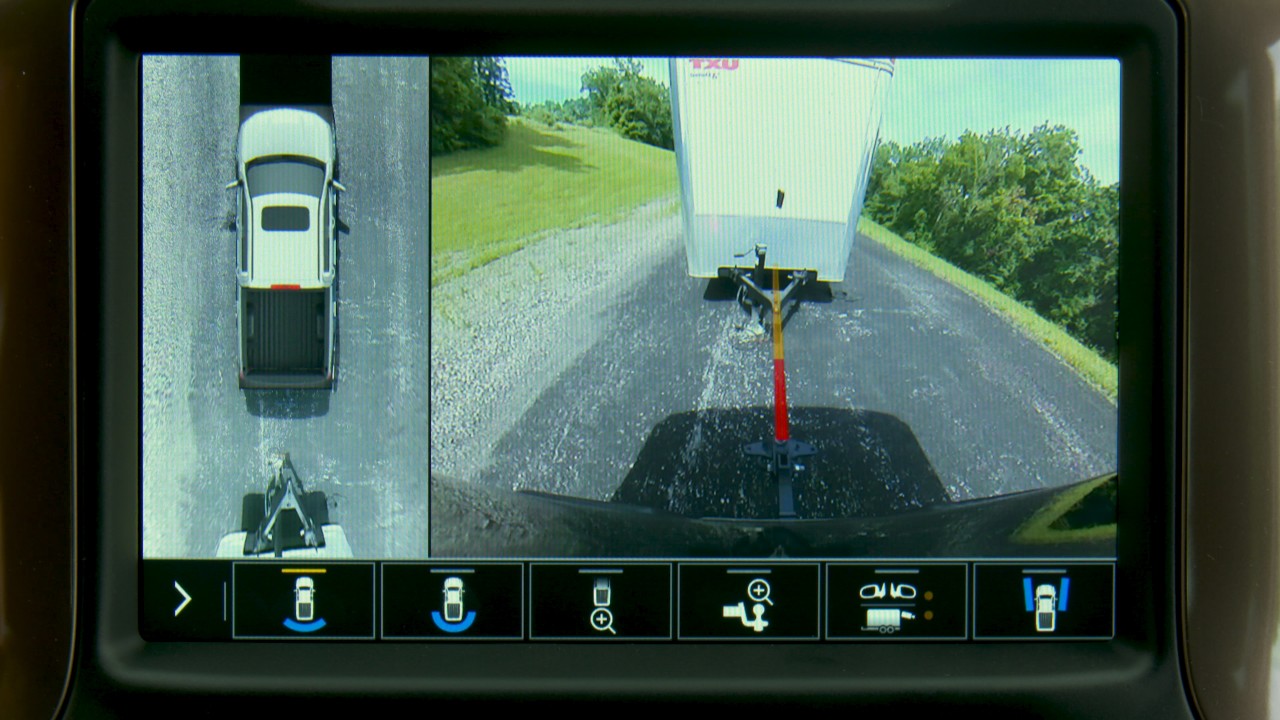
The B127E diagnostic trouble code (DTC) for a 2016 GMC Sierra indicates a malfunction in the front video display output signal. This code typically points to an issue with the video display system in the vehicle, which can affect various systems and components that rely on video output signals for operation. In this case, the front video display output signal is not functioning correctly, which can lead to a loss of visual information on the display screen.
Common Causes of B127E 2016 GMC Sierra
- Faulty front video display unit
- Loose or damaged wiring connections
- Defective video output module
- Software glitches in the video display system
- Water damage or corrosion in the video display components
Symptoms of B127E 2016 GMC Sierra
- Blank or distorted display on the front video screen
- Loss of functionality in the backup camera or navigation system
- Error messages related to the video display output signal
- Flickering or intermittent display on the screen
How to Fix B127E 2016 GMC Sierra
- Begin by conducting a visual inspection of the front video display unit and wiring connections to check for any visible damage or loose connections.
- Use a diagnostic scan tool to retrieve the specific DTC and further diagnose the issue with the video display output signal.
- Test the video output module to determine if it is functioning correctly or needs replacement.
- Check for any software updates or glitches in the video display system that may be causing the malfunction.
- Repair or replace any faulty components identified during the diagnostic process, such as the front video display unit, wiring connections, or video output module.
Cost to Fix B127E 2016 GMC Sierra
The typical repair costs for addressing a front video display output signal malfunction can vary depending on the extent of the issue and the specific components that need repair or replacement. In general, the cost of parts for this repair can range from $200 to $500, while labor costs can add an additional $100 to $300 to the total repair bill. Keep in mind that the actual diagnosis time and labor rates at auto repair shops can vary based on factors such as location, vehicle make and model, and engine type. It is advisable to consult with a trusted mechanic or dealership to obtain a more accurate estimate based on your specific circumstances.
Need more information about the B127E 2016 GMC Sierra code?
Need more information on how to fix the B127E 2016 GMC Sierra code? Get Access to Factory Service Manuals
Need Help with the Code?
Get the B127E 2016 GMC Sierra code diagnosed by a professional: Find a repair shop in your area
Frequently Asked Questions about B127E 2016 GMC Sierra Code
1. What does the OBDII code B127E mean on a 2016 GMC Sierra?
The code B127E indicates a "Front Video Display Output Signal Malfunction," meaning there is an issue with the video signal between the front display and the associated control module.
2. What are the common symptoms of the B127E code?
Symptoms include the front infotainment screen not displaying properly, flickering, being blank, or showing distorted images.
3. What causes the B127E code to appear?
Common causes include faulty wiring or connectors, a malfunctioning front video display, a defective video processing module, or software issues in the infotainment system.
4. Can a loose connection trigger the B127E code?
Yes, loose or corroded wiring or connectors between the display and control module can cause the code to appear.
5. How can I troubleshoot the B127E code on my GMC Sierra?
Start by inspecting the wiring and connections for damage or corrosion. If no issues are found, check the display and the associated control module for faults.
6. Can a software update fix the B127E code?
In some cases, updating the infotainment system software can resolve the issue if it is caused by a software glitch.
7. Does a faulty front video display always need replacement?
Not always. The display should be tested to confirm it is defective before replacing it, as the issue could also lie in the wiring or control module.
8. What tools are needed to diagnose the B127E code?
A scan tool capable of reading manufacturer-specific codes and testing the infotainment system is necessary for proper diagnosis.
9. Is the B127E code a serious issue?
While it doesn't affect vehicle drivability, it impacts the functionality of the infotainment system, which could be inconvenient for the driver.
10. How much does it cost to fix the B127E code?
Repair costs vary depending on the cause, ranging from $50–$150 for wiring repairs to $500 or more for replacing the display or control module.
Discuss the causes and fixes for B127E 2016 GMC Sierra OBDII Code
Code B127E 2016 GMC Sierra comments
No comments found for this page.
Fix Your Car Smarter
Try the New AutoCodes App!
Get complete OBDII diagnostics, repair solutions, and cost estimates, plus AI chat support on demand.